WhatsApp sign-in for trusted apps
No usernames.
No passwords.
Just press send.
One WhatsApp message is the whole sign-in. The app writes it, the person presses Send, and Lalo Verify hands a confirmed result back to the app that asked.
Prefilled in WhatsApp · to Lalo
LALO VERIFY: K7Q2PX-418093
Nothing to type. Just send.Send
Sample code Lalo members sign in with it today. Lalo Verify is the sign-in behind the Lalo app.
Prefilled in WhatsApp · to Lalo
LALO VERIFY: K7Q2PX-418093
Nothing to type. Just send.Send
How it works
Three steps. One of them is pressing Send.
The person never types a code or makes up a password. Their app does the preparing, WhatsApp does the sending, and Lalo Verify does the checking.
1Start in the app
Choose Continue with WhatsApp.
The app asks Lalo Verify for a fresh request. It comes back with a one-time code and a WhatsApp link that already holds the message.
Don't forget to press Send - see you back here soon
Lalo Verify's reminder as WhatsApp opens, then the chat with the message written.
2In WhatsApp
Press Send.
WhatsApp opens on a chat with Lalo with the message written. Sending it from their own number is the proof. That's the only thing they do.
3Back in the app
Verified, and straight back in.
Lalo Verify matches the code to the request and the number that sent it. The app sees the request confirmed and finishes signing them in.
Opening WhatsApp isn't signing in. The sent message is.
Until the message arrives, the app shows “Waiting for your message” with Check again. If it isn't sent before the request expires, the request lapses and nothing changes.
Security and privacy
Proof, not passwords.
There's no secret for anyone to forget or reuse. The proof is a short-lived message sent from the person's own WhatsApp number, checked against the request it belongs to.
Every request expires
Each sign-in gets its own one-time code. If it isn't sent in time, the request lapses.
Bound to who asked
Only the session that started a request hears how it ended, and the message must arrive on the number the request was issued for.
Handed over once
A confirmed result is exchanged one time, by the app's server. A second attempt is refused.
Your other chats stay yours
“Sending from your WhatsApp number proves it's yours. It doesn't read your other chats.” That's what people read on the Verify screen.
For developers
Your server asks. Lalo Verify answers.
Three calls: start, check, exchange. They run server to server with your platform key, so nothing secret ever reaches the browser.
Your app owns
- The sign-in button and where it sits
- Starting a request and sending people to WhatsApp
- Checking until it's confirmed, expired or cancelled
- What “signed in” means in your product
Lalo Verify owns
- The one-time message and when it expires
- The WhatsApp number and reading what arrives on it
- Matching the message to the request and the sender
- The person: one record across up to two numbers and email
Lalo Verify runs for trusted apps by arrangement. There's no public SDK or self-serve sign-up yet, so the first step is a conversation.
// Runs on your server. The key never goes to the browser.
const headers = { "content-type": "application/json",
                  "x-platform-api-key": serverKey };

// 1. Start: Verify prepares the one-time WhatsApp message
const start = await post("/api/platform/auth/whatsapp/start",
  { app: "lalo", flow_type: "login" });
// → { attempt_id: "K7Q2PX", whatsapp_url, expires_at }

// 2. Send the person to start.whatsapp_url, then check
const { status } = await get(
  `/api/platform/auth/whatsapp/status?attempt_id=${start.attempt_id}`);
// "pending" | "completed" | "expired" | "cancelled"

// 3. Exchange once it's completed. Works one time only.
const person = await post("/api/platform/auth/exchange",
  { attempt_id: start.attempt_id, app: "lalo" });
// → { trusted: true, lalo_user_id, is_new_user, wa_id }
Lalo
How Lalo members get in.
Lalo is the app for living locally in Hội An: trusted places, member benefits and what's on. Lalo Verify is how its members get in.
- WhatsApp sits beside email and Google, the same size and the same weight. Nobody is pushed into one.
- Sign-up and sign-in say which they are. “Sign up with WhatsApp” creates an account. “Sign in with WhatsApp” only opens one that exists.
- One member, one account. A second WhatsApp number can be linked without replacing the first.
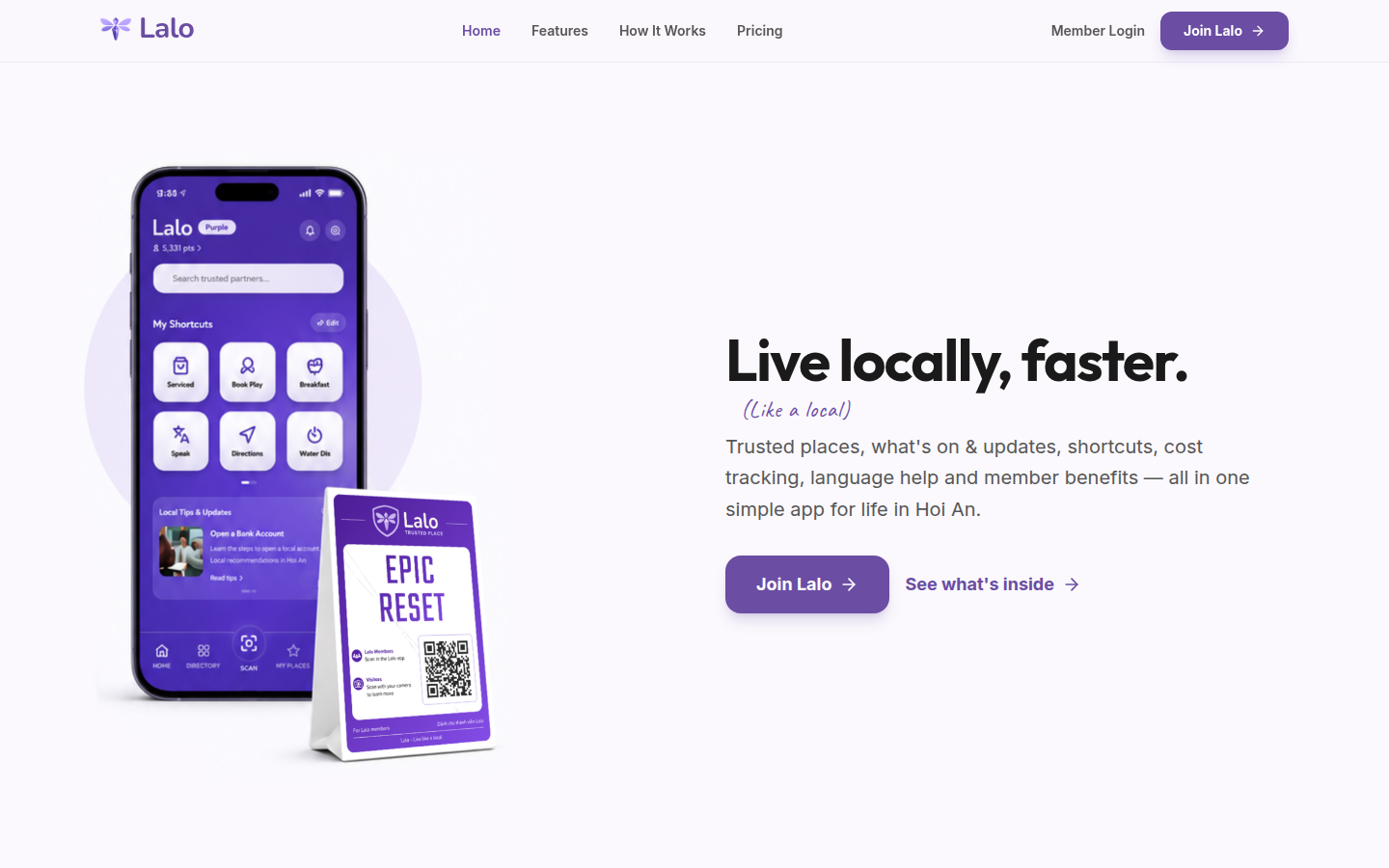
Lalo's public site, captured 23 October 2026.
Want a sign-in nobody has to remember?
Tell us about your app and the people signing in to it. We'll tell you honestly whether Lalo Verify fits.
Get in touchAlready a Lalo member and stuck signing in? support@laloapp.co